CLIP STUDIO Pose Scanner Not Accurate? Re-capture the Pose From a Photo With a Free Tool
Published: May 31, 2026 (Updated October 5, 2026)
For: Illustrators and manga artists who use pose references in CLIP STUDIO PAINT
This article is for you if:
- Your figure came out with mangled joints after using CLIP STUDIO's Pose Scanner
- You tried to fix the figure, made it worse, and had to start over
- You want to get a pose from a photo without sending the photo to a server
The short version
Before fixing a broken figure by hand, you can try reading the same photo with a different tool. The tool in this article, PoseMirror, is free and runs entirely in the browser. It builds a 3D drawing-mannequin pose from a photo, and on the PRO plan it can export a file CLIP STUDIO can load (BVH).
That said, I have not run the same photos through both the Pose Scanner and PoseMirror. This article doesn't claim which one handles which photos better.
How the Pose Scanner works, and the poses it finds hard
CLIP STUDIO PAINT's Pose Scanner reads the pose of a person in a photo and applies it to a 3D drawing figure. The official user guide says:
- The image is uploaded to a server, where the pose is estimated (an internet connection is required)
- If the image has several people, it captures the pose of the largest one
- Fingers and hand position are not captured
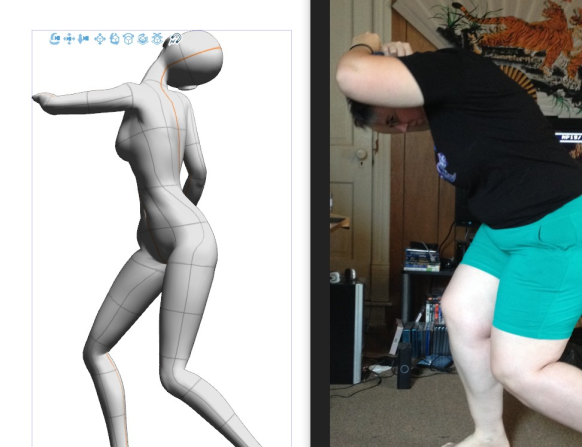
▲ CLIP STUDIO's Pose Scanner, which infers a pose from a photo
CLIP STUDIO's official TIPS site has a user's write-up testing the Pose Scanner (Using and Testing the Limits of the Pose Scanner Feature). The best results came from photos where the arms and legs were clearly visible and not overlapping the torso. Poses with a lot of body rotation, like lying face down or sprawled out, and photos where armor or a helmet hid the body, were the hard cases.
Re-capture and compare instead of fixing
Fixing a broken figure by hand takes longer than you'd expect. Moving one joint drags its neighbors along, and the figure can end up worse than where you started. When the reading itself is off, hand-fixing can't catch up.
In that case, you can have another tool read the same photo and compare. PoseMirror gets joint positions from the photo with Google's MediaPipe. A different reading engine may break in different places.
If a pose broke, re-capture it from the photo.
▶ Re-capture the pose from your photo (free, no sign-up)Examples from PoseMirror
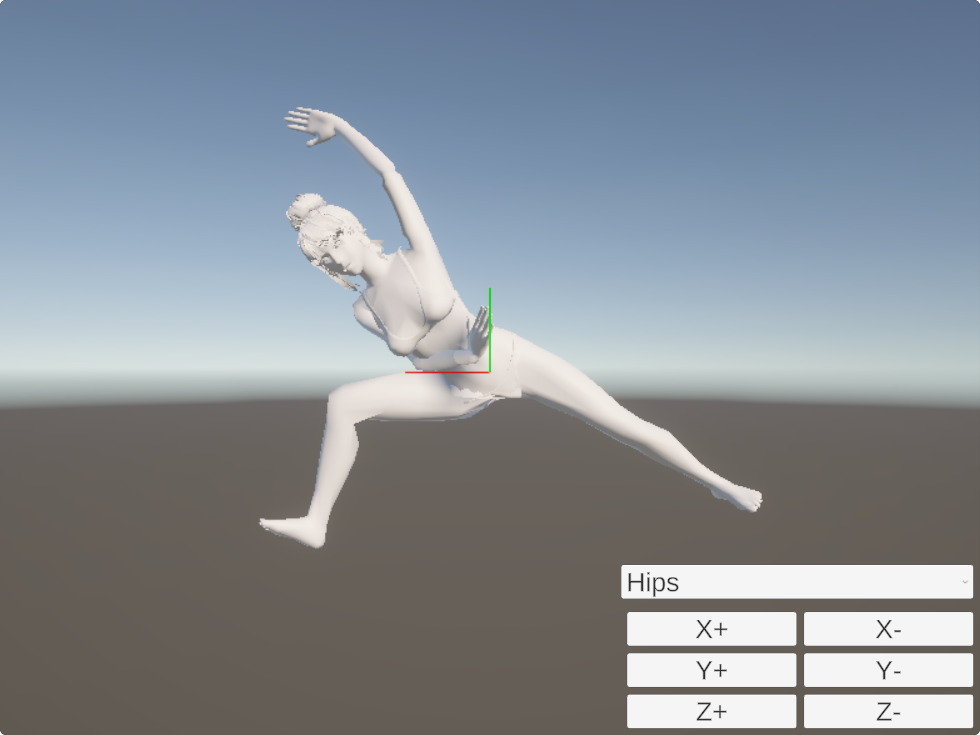
Example 1: a deeply tilted yoga pose
| Source photo (after detection) | Result on the 3D model |
|---|---|

|
|
With the body leaning sideways and one arm raised, the lines of the shoulders, hips, and legs still came out close to the photo. You can rotate the mannequin, so you can also check views the photo doesn't show, like from behind at an angle or from directly above.
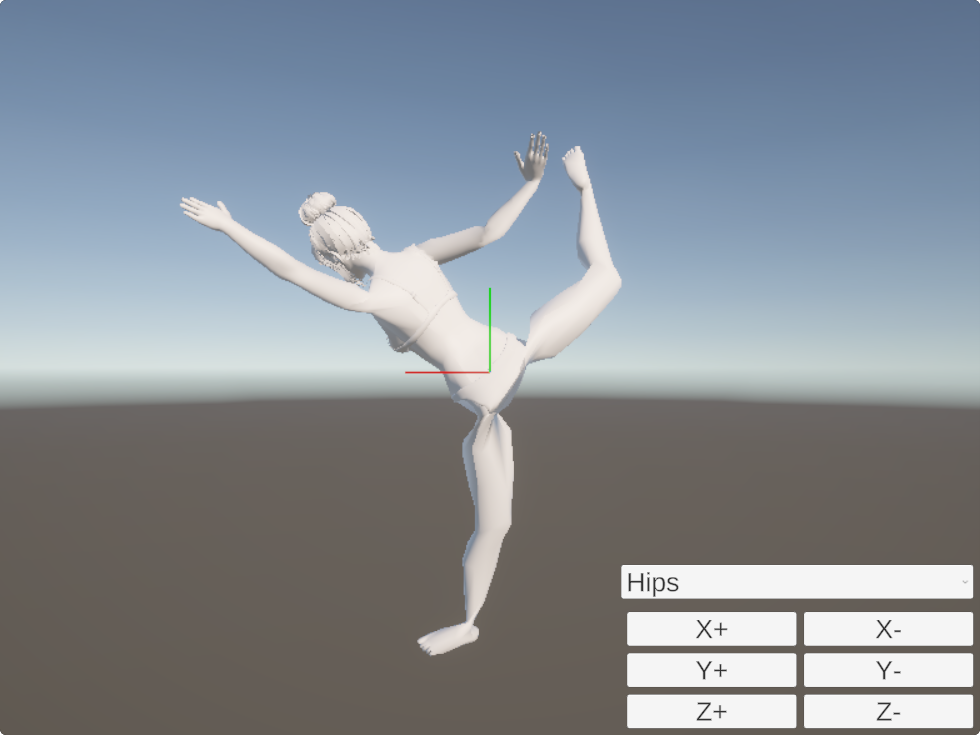
Example 2: a tricky one-leg balance
| Source photo (after detection) | Result on the 3D model |
|---|---|

|
|
With one leg raised high behind and one arm stretched forward, the pose still came through intact because the whole body was clearly visible. (Photo: Unsplash / Unsplash License)
Pose Scanner vs. PoseMirror
This compares specs, not accuracy. The Pose Scanner column is from the official user guide.
| CLIP STUDIO Pose Scanner | PoseMirror | |
|---|---|---|
| Where the photo is processed | Uploaded to a server | In the browser (the photo is not sent anywhere for analysis) |
| Photos with several people | The largest person | Takes one person |
| Hands | Fingers and hand position not captured | Hand direction is captured; finger bending is not |
| Use in CLIP STUDIO | Applied directly to the 3D figure on the canvas | Export BVH on PRO, then drag and drop into CLIP STUDIO (Ver. 3.1 or later) |
| Price | Part of CLIP STUDIO PAINT (paid) | Posing from photos is free. BVH export is PRO ($6.99/month) |
When I tried 120 people photos from Unsplash, the ones PoseMirror couldn't read either were people small in the frame, motion-blurred shots, and people curled up with their face down. The details are in the MediaPipe Pose 33 Landmarks guide.
Before re-capturing, suspect the photo
Re-capturing only helps when a photo breaks differently depending on the reading engine. If the photo itself is hard to read, expect it to break the same way in any tool.
- A person who is small in the frame or badly blurred often isn't detected by PoseMirror either
- Neither the Pose Scanner nor PoseMirror captures finger shapes. For hands, a separate photo of your own hand is more reliable
- With a long coat or a hakama hiding the body's lines, the joint positions simply aren't in the photo
When to stick with the Pose Scanner
This isn't an article telling you to switch. In these cases, staying inside CLIP STUDIO is faster:
- You're already working in CLIP STUDIO and want the pose on the canvas's 3D figure. Adding another tool adds an export and an import
- The Pose Scanner read the photo cleanly. There's no reason to redo it
- You want to manage the poses as CLIP STUDIO materials
Bringing in another tool is worth it when CLIP STUDIO breaks on a photo you really need as a reference.
Summary
When the Pose Scanner breaks on a photo, reading it again with another tool and comparing can be quicker than fixing the figure by hand for a long time. PoseMirror gets the pose inside the browser without sending the photo to a server, and on PRO you can take it into CLIP STUDIO as BVH. Finger shapes and people small in the frame don't work in either tool, so change the photo for those.
Have another tool read the photo that broke.
No sign-up or install. Open it in your browser and compare right away.
▶ Read the same photo againRelated (English):
- MediaPipe Pose 33 Landmarks: The Complete Guide — photos that can't be detected, measured on 120 images
Related (Japanese):
- 【検証】PoseMirrorのAIポーズ解析精度を試した — photos that worked and photos that failed
- 正面の写真しかないのに別角度で描きたい時の解決法 — why depth drifts when you rotate the figure
References
- Pose Scanner (photo library/storage) (CLIP STUDIO PAINT Instruction manual) — Pose Scanner specs
- Using and Testing the Limits of the Pose Scanner Feature (CLIP STUDIO TIPS) — a user's test of what it handles well and badly