PoseKit Alternative — Turn a Photo Into a 3D Pose Without Login (Free)
Published: July 2, 2026
For: Anyone who wants to use PoseKit but can't log in, or who wants a free "photo → 3D pose" tool with no sign-up.
TL;DR: PoseKit is a handy web service that generates a pose from a photo, but it requires a Google login — and sometimes that login just won't go through, or you don't want to connect an account. For the same "photo → 3D pose" with no login and no install, try Pose Mirror (free, browser-only).
What PoseKit is (photo-to-pose web service)
PoseKit by ML engineer Toyofuku (@Yeq6X) estimates a character's pose from a photo and builds it onto a 3D model. It was featured by CGWorld in 2025, supports head-body ratio changes, and can export to FBX — upload a photo, hit generate, done.
The catch: it requires signing in with a Google account. If the login won't complete, you're on a shared PC, or you just want to try it right now, that step can stop you.
A login-free alternative for "photo → 3D pose": Pose Mirror
Pose Mirror is the same "build a pose from a photo" kind of tool, but with no login and no install. Open the page, drop in a photo — no account at all.
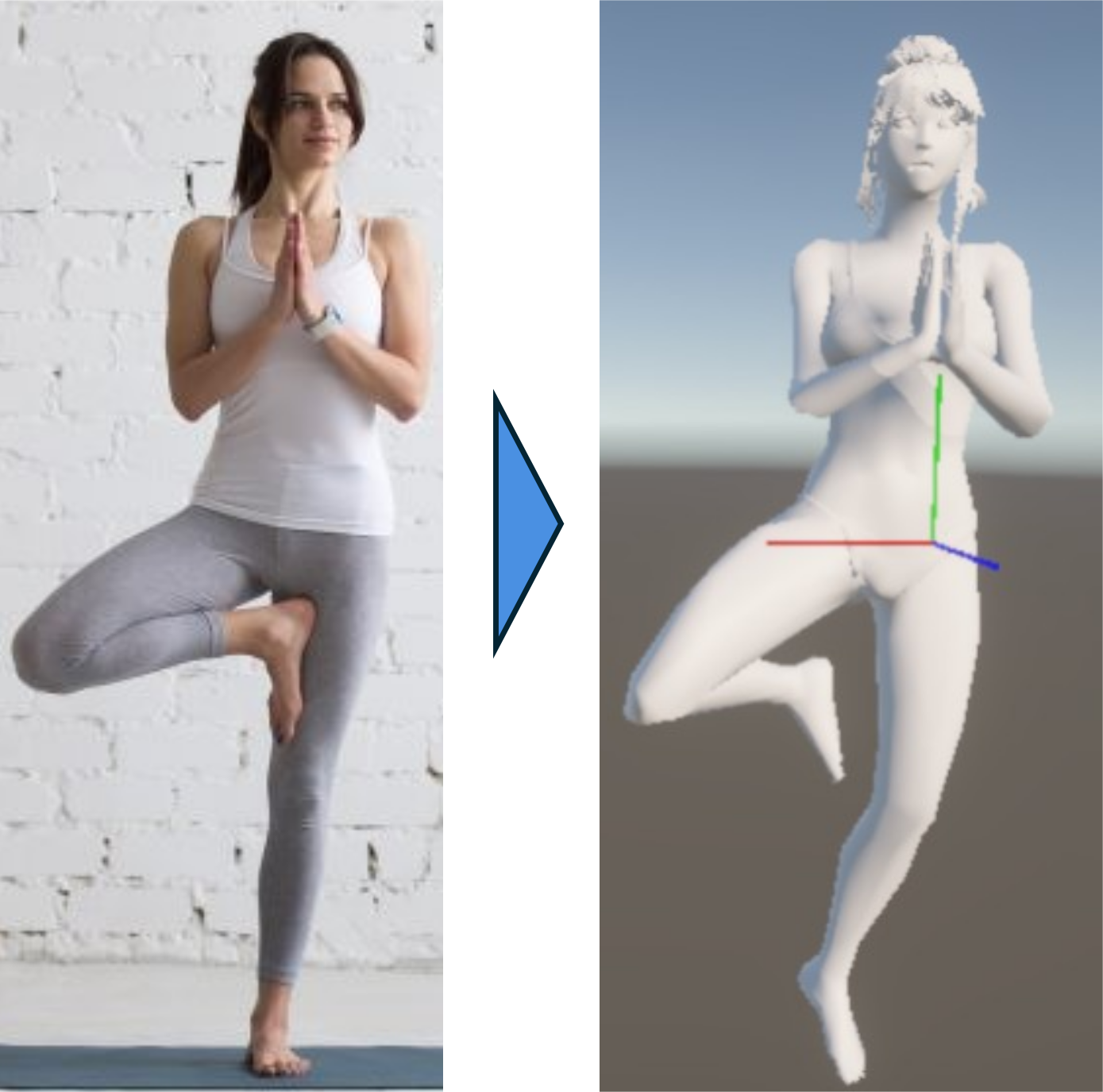
▲ No login — one photo becomes a pose you can rotate to any angle
How it differs from PoseKit (pick by the job)
- Login: PoseKit needs a Google login / Pose Mirror needs none. If login blocks you, this is faster.
- FBX export: Want to bring the pose into Blender or another 3D app as FBX? PoseKit is the one. Pose Mirror focuses on checking the pose in-browser and using it as drawing reference.
- Fine-tuning: In Pose Mirror you nudge joints with buttons after generation, so depth stays intuitive.
So: need FBX → PoseKit; want a pose from a photo right now, no login → Pose Mirror.
How to make a pose from a photo in Pose Mirror
- Grab a photo — any image with the pose you want.
- Drop it in — drag and drop onto Pose Mirror; AI reads the joints onto a 3D model.
- Rotate and refine — spin the model to your drawing angle and nudge joints with buttons. Export as PNG, or save/reload as JSON.
No photo? Start from the built-in preset pose library instead.
Other alternatives
If you don't need automatic generation from a photo, manual tools like PoseMy.Art or Easy Pose also work. For a full side-by-side, see Best Free 3D Pose Reference Web Apps for Artists (2026).
FAQ
Q. Can I use PoseKit without logging in? A. PoseKit requires a Google account login. To make a pose from a photo without logging in, the sign-up-free Pose Mirror is an alternative.
Q. Is there a free tool that makes a pose from a photo, like PoseKit? A. Yes. Pose Mirror reads an uploaded photo with AI and applies the pose to a 3D model. It's free with no install or login, and you can fine-tune joints with buttons afterward.
Q. What if I need FBX export? A. For FBX export, PoseKit is the better fit. Pose Mirror focuses on building a pose in-browser for drawing reference.
Wrapping up
PoseKit is a good service, but the login step can get in the way. If you just want to turn a photo into a pose right now with no login, try Pose Mirror — open the page and drop in a photo.
Try it now: Open Pose Mirror — one photo, no login, and your 3D pose is ready.
Related: